WELCOME!
We are so excited to offer ticket sales through Minnesota Playlist. Below you'll find two video demos that walk through the bulk of the process for producers/companies/ticket sellers. Feel free to watch these now, or open them in a new tab and have them available while you are completing the onboarding process and setting up tickets.
Beyond those videos you'll find many of the frequently asked questions around our ticketing service.
Finally, if you are interested in reading a little about the why of ticketing on Playlist then read the announcement article here.
Setting Up Your Stripe Connect Account (onboarding)
Note: this video was created using a test site back in April 2026 so not all content may be 100% accurate. We'll update soon!
Adding Tickets to Your Show Posting
Note: this video was created using a test site back in April 2026 so not all content may be 100% accurate. We'll update soon!
Frequently Asked Questions
For Producers / Companies / Ticket Sellers
- What is Minnesota Playlist's ticketing platform, and who is it for?
It's a ticketing system built into the Minnesota Playlist website, designed specifically for Twin Cities and Minnesota theater companies. It's not general-purpose box office software — it's a platform for the community that already uses Playlist to find and promote shows.
- What does it cost to use the ticketing platform?
There is a $3.00 flat platform fee per ticket, charged to the buyer at checkout. This fee is separate from the ticket price you set. Stripe's standard payment processing fees also apply and are deducted before your payout.
- How do I get paid?
Playlist uses Stripe Connect. Ticket revenue (minus Stripe processing fees and the platform fee) is transferred directly to your connected Stripe account on Stripe's standard payout schedule, then deposited to your linked bank account. Playlist does not hold your funds.
- Do I need a Stripe account?
Yes. You'll set up a Stripe Connect account during onboarding. Make sure your banking information is current — this is where your payouts go.
- Why is stripe asking me to "login"? I just want to setup my account.
When you follow the onboarding link on the bottom of the page it will take you to this page (image below). You'll see it says "Sign in to Express". Unfortunately, this is the way Stripe has it setup as they assume some people might already have a Stripe account and may want to connect it to Minnesota Playlist.
All you need to do is enter the email address you want to use for your Playlist ticket sales and click continue. You'll be walked through the onboarding process.
If you'd like to schedule time to onboard with the support of Minnesota Playlist just email us at [email protected] and we'll schedule some time with you to go through onboarding.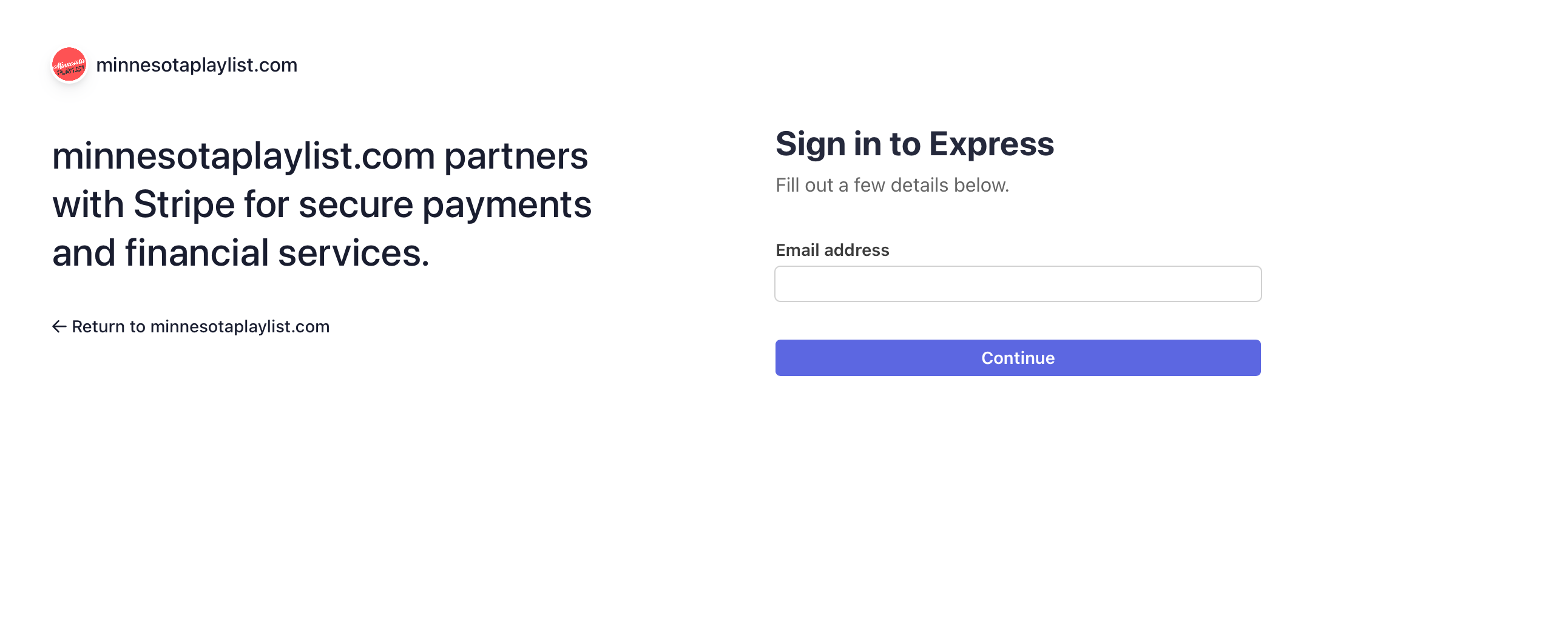
- Why is Stripe asking for my EIN or SSN during setup?
Stripe is required by law to verify the identity of account holders. This is standard compliance practice (anti-money laundering regulations), not specific to Playlist. They'll ask for your business type — Individual, Company, or Nonprofit — along with verifying identity for accounts above certain thresholds.
- Why does onboarding have so many steps?
The Stripe connect process is an extensive verification of who you say you are for two reasons. First, to protect the purchasing public so that when they buy a ticket from Playlist they know the show is real, they have a seat, and there is traceable accountability for their purchase if something goes wrong. Second it protects Playlist so that as we expand into the sphere of general audiences our brand and reputation remain strong and reliable.
- Can I add tickets to an already published show?
Yes, you can. Log into your account, go to the my account page, select the production you are selling tickets for, click edit. Once on the edit page scroll to down to the specific show date and in the ticket total count you can add additional tickets for sale.
- Can I provide discounts or coupon codes?
Not at this time. We hope to have this option in the near future.
- Can I sell tickets day of show?
Yes you can continue to sell tickets via Playlist up and through show time. Playlist does not cut off sales at a show's start time. It is up to you to manage that information from your dashboard.
- What if I need to cancel or postpone my show?
You're responsible for communicating cancellations, postponements, or significant changes to your ticket buyers and for issuing any applicable refunds. Playlist does not issue refunds on your behalf, but we will help facilitate communication where we can.
- How do I access purchaser information?
Log in to your Minnesota Playlist account and go to the My Account page. From here, click "View my Stripe Dashboard". A new page will open in your browser and you can see up to date purchase information.
- How do I manage my box office?
Minnesota Playlist is not a box office application (yet). Because of this you'll need to integrate Playlist information into a front of house operation in a way that works best for you. We intentionally built it this way because many companies use other sales software for tickets and may only use Playlist for certain quantities, or dates. If you'd like to discuss with us about options on this front and how best to utilize reach out at [email protected].
- Can I use another ticket selling application AND Minnesota Playlist?
Absolutely. Since you manage all your own inventory you can setup something like gobo.com with some of your tickets and sell the rest via Playlist. You'll want to make sure you've got a process in place for managing your audience members at front of house based on the two locations.
- Are there sales reports?
Yes, in your Stripe Dashboard (see above to access), you can export a variety of information as well as see established metrics and reports created by Stripe.
- Can I set my own ticket prices?
Yes. You control pricing, casting, and all artistic decisions. Playlist is the payment infrastructure, not a co-producer.
- Can I do levels of tickets (50 tickets at $25 and 50 tickets at $10) or sliding scale?
Not at this time. We hope to have this option in the near future.
What are the terms of service?
You can download a copy of those here: